Monetization · 10 min read
How to Check If a YouTube Channel Is Monetized: A Practical 2026 Guide
Learn which public signals are meaningful, which are misleading, and how to estimate a channel’s YouTube Partner Program status without access to private analytics.
 PUBLIC CHANNEL CHECK / 01MonetizationMONETIZED?YES OR NO
YouTube does not publish a universal badge that says a channel is monetized. Unless you own the channel or manage it inside YouTube Studio, you normally cannot see an official yes-or-no status. What you can do is combine public eligibility data, visible monetization features, channel activity, and policy context to form a careful estimate. This distinction matters. A strong estimate can support competitor research or partnership due diligence, but it should never be presented as private financial data or an official confirmation from YouTube.
The short answer: look for evidence, not a single trick
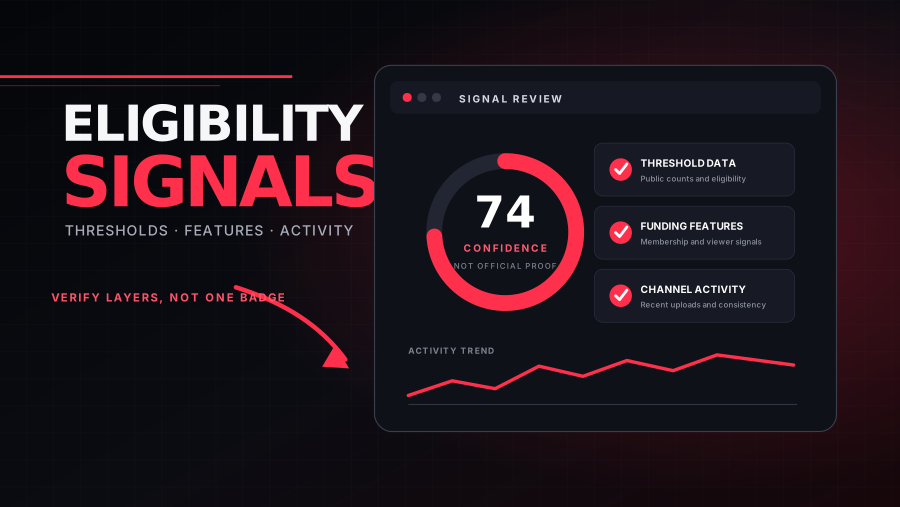
The most reliable public check is a layered one. First, determine whether the channel appears to clear the main YouTube Partner Program thresholds. Next, look for features that are usually associated with an approved partner, such as memberships or viewer-funding options. Then check whether the channel is active, original, and policy-safe enough to plausibly remain eligible. No individual signal is perfect. Ads can appear on videos from channels that do not receive a share of the revenue, subscriber totals can be hidden, and some monetization modules may not be available in every market.
What YouTube currently requires for full ad-revenue eligibility
According to YouTube’s official Partner Program documentation, a channel must follow monetization policies, operate in an eligible country or region, have no active Community Guidelines strikes, enable two-step verification, have access to advanced features, and connect an active AdSense for YouTube account when applying. For the audience threshold, the standard path is 1,000 subscribers plus 4,000 qualified public watch hours during the previous 12 months. The Shorts path is 1,000 subscribers plus 10 million qualified public Shorts views during the previous 90 days.
The word qualified is important. Watch hours from private, unlisted, or deleted videos do not count. Watch time generated through ad campaigns does not count. Watch hours from the Shorts Feed do not count toward the 4,000-hour long-form threshold. On the Shorts route, only qualifying public Shorts views in the Shorts Feed count. Reaching a threshold lets a creator apply; it does not guarantee acceptance. YouTube reviews the channel as a whole, using automated systems and human reviewers, and continues checking channels after admission.
Public signals that carry the most weight
- A visible Join button or active channel memberships. This is a strong partner signal, although availability can vary by location, channel type, and device.
- Viewer-funding features such as Super Thanks, Super Chat, or Super Stickers where applicable. These features generally require participation in an eligible monetization program.
- A channel that clearly exceeds the subscriber requirement and publishes enough public long-form content to plausibly generate qualified watch time.
- Consistent recent activity. YouTube says it may turn off monetization for channels that have not uploaded a video or posted for six months or more.
- Original, advertiser-friendly content with no obvious pattern of reused uploads, mass-produced low-value videos, or repeated policy issues.
Treat these as weighted clues rather than a checklist where one tick settles the question. For example, a channel may be monetized but choose not to enable memberships. A creator may qualify through Shorts while showing little long-form watch history. Regional availability can also hide features. The right conclusion is often likely monetized, likely not yet eligible, or insufficient public evidence—not a false claim of certainty.
Signals that are commonly misunderstood
The presence of ads is the most common false positive. The absence of ads is also weak evidence because ad delivery changes by viewer, country, device, inventory, Premium status, and advertiser suitability. A large subscriber count is not conclusive either. An older channel can have many inactive subscribers but insufficient recent qualified watch time, while a smaller Shorts channel may meet a different route. Sponsorships, affiliate links, merchandise, Patreon, or paid courses show that a creator earns money, but they do not prove membership in the YouTube Partner Program.
Estimated earnings websites should be treated cautiously. They typically multiply public views by broad advertising ranges without knowing the creator’s actual revenue per thousand views, audience geography, content category, seasonality, limited-ad status, Shorts mix, Premium revenue, or revenue split. Those estimates can be useful for scenarios, but not for stating what a specific creator earns.
A five-minute manual verification workflow
- Open the channel’s public page and record the visible subscriber count, total views, channel age, and recent upload activity.
- Check several recent videos rather than one. Look at format mix, view consistency, upload frequency, and whether the content appears original.
- Look for Join, Super Thanks, live-stream funding, or shopping features, while remembering that availability varies.
- Compare the visible audience data with the official YPP thresholds. If subscriber totals are hidden, mark the result as uncertain instead of guessing.
- Write a conclusion with a confidence level and the evidence behind it. Keep partner status separate from sponsorship or affiliate income.
A tool can accelerate the public-data portion of this workflow. YT Insight’s Monetization Checker resolves a channel URL or handle, compares visible metrics with program thresholds, and summarizes public indicators. The output remains an estimate because YouTube Studio, AdSense status, strikes, qualified watch-hour totals, and the result of an internal review are private.
How brands should use a monetization estimate
For sponsorship research, monetization status is only one part of creator fit. A monetized channel may still have weak audience alignment or inconsistent engagement. A non-monetized specialist channel may have a small but highly valuable audience. Evaluate recent median views, comment quality, publishing consistency, topic alignment, audience geography when available, and whether sponsored content fits naturally. If official status matters contractually, ask the creator to provide a current YouTube Studio screenshot or another form of first-party verification with sensitive information removed.
If you are checking your own channel
Use the Earn area in YouTube Studio as the source of truth. It shows your progress toward applicable thresholds and lets eligible creators apply. If you are close to the long-form route, prioritize public videos that solve a repeatable audience problem and connect them with playlists, cards, and end screens. If Shorts are your primary format, focus on repeatable concepts and viewer satisfaction rather than publishing a high volume of near-duplicate clips. In either case, build around original value. Threshold tactics cannot compensate for content that fails policy review.
Before applying, audit the entire channel—not only the top videos. Review titles and thumbnails for misleading claims, remove or improve reused material, check music and footage rights, resolve active strikes, and make the channel’s purpose easy to understand. A coherent library gives reviewers and viewers a clearer reason to trust the channel.
Build a repeatable confidence score
If monetization checks are part of ongoing research, use the same scoring model every time. Separate eligibility evidence from partner-feature evidence and policy-risk evidence. For example, record subscriber threshold as met, not met, or hidden; estimate whether recent public output could plausibly support the required watch activity; list visible partner features; and note any uncertainty caused by regional availability. Give each conclusion a date because channel status and public features can change. A short evidence table is more defensible than a binary label with no explanation.
Do not assign a precise probability unless you have validated the model against first-party confirmations. Labels such as strong evidence, mixed evidence, and insufficient evidence are usually clearer. Include the strongest reason the estimate could be wrong. A channel with no Join button may simply have memberships disabled; a channel above the public thresholds may still be under review or may have failed a policy review. Naming the counter-evidence prevents a convenient signal from becoming an unsupported claim.
When to check again
A status estimate becomes stale as soon as the channel changes. Recheck fast-growing channels after a meaningful subscriber or view milestone, and recheck partnership candidates close to a campaign date. For a channel below the threshold, monthly monitoring is usually more useful than daily checking. For an active channel that appears eligible but lacks partner signals, look again after several weeks because application and review are not instant. Keep dated snapshots so you can distinguish real progress from a changed method or a temporarily hidden feature.
The same discipline applies to your own channel. Use private Studio metrics for decisions, but maintain a public-view audit to understand what sponsors and viewers can verify. Make your channel purpose, upload pattern, original contribution, and contact information easy to understand. Transparency will not create eligibility by itself, yet it reduces friction when a reviewer, advertiser, or collaborator evaluates the channel.
Frequently asked questions
Can I confirm monetization from the channel source code?
No dependable public field in a normal channel page provides a universal official monetization status. Browser tricks promoted online frequently become outdated or misinterpret unrelated flags.
Does a Join button guarantee the channel earns ad revenue?
It is a strong signal that the channel has access to memberships, but creators accept different monetization modules separately. Describe it as evidence of partner access rather than proof of every revenue type.
Can a channel lose monetization?
Yes. Continued policy compliance matters, and YouTube states that long periods of inactivity can also lead to monetization being turned off.
The responsible conclusion is simple: use public data to estimate, preserve uncertainty, and go to first-party evidence when the decision carries financial or legal consequences. That approach is slower than a viral “one hidden trick” claim, but it is far more accurate and useful.
YT Insight is independent and is not affiliated with YouTube or Google.