Subtitles · 11 min read
How to Download YouTube Subtitles and Transcripts in SRT, VTT, and TXT
Choose the right subtitle format, handle automatic-caption errors, and turn a public video transcript into an accessible, reusable content asset.
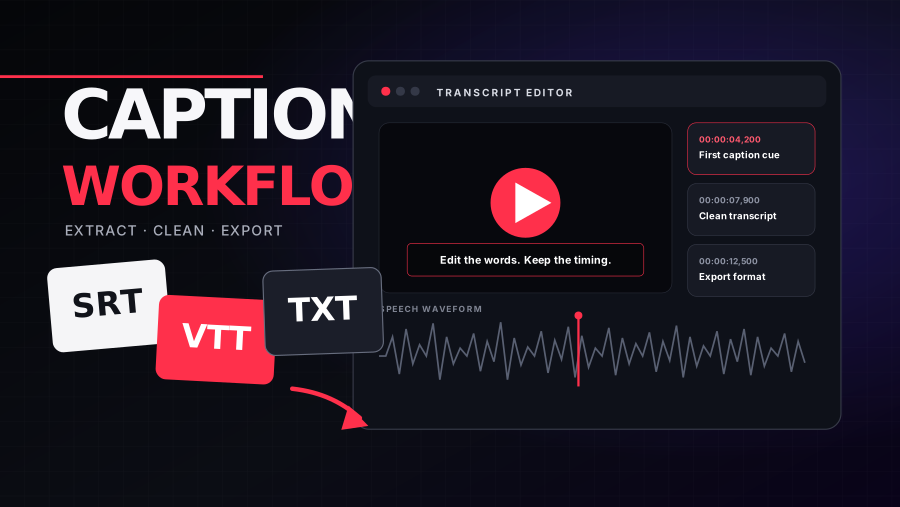 CAPTION PIPELINE / 02Subtitles3 FORMATSONE TRANSCRIPT
A YouTube transcript can become captions for an editor, source material for a blog post, notes for a research project, a translation draft, or input for an AI summary. The difficult part is not simply extracting text. It is choosing the right format, preserving timing when it matters, correcting speech-recognition errors, and using the material responsibly. This guide explains a practical workflow for public videos with creator-uploaded or automatically generated captions.
Start by choosing the output you actually need
SRT, VTT, and TXT contain similar language but serve different jobs. Choosing a format before downloading prevents unnecessary cleanup. If the file is going into Premiere Pro, Final Cut, DaVinci Resolve, or another subtitle-aware editor, retain timing. If the goal is reading, search, summarization, or quotation review, plain text is usually easier. Keep an untouched source copy before making changes so you can always return to the original cues.
- SRT is the most widely supported subtitle exchange format. It stores numbered cues with start and end timecodes and works well with desktop editors, localization tools, and many video players.
- VTT, or WebVTT, is designed for web playback. It supports timed cues and additional metadata and is commonly used with the HTML video element.
- TXT removes cue numbers and timing. It is the cleanest choice for reading, research notes, translation drafts, search indexing, and language-model workflows.
Manual captions versus automatic captions
Creator-uploaded captions are usually the best source when they have been professionally prepared or reviewed. Automatic captions are generated with speech recognition and can make many videos accessible when no manual track exists, but YouTube explicitly warns that quality varies. Accents, dialects, names, technical terminology, background noise, overlapping speakers, long silences, and mixed languages can all reduce accuracy. Processing may also take time after a video is published.
When several tracks are available, start with a manually created track in the original spoken language. Use an automatic track when it is the only option, then budget time for cleanup. A translated subtitle track can be useful, but translation adds a second source of error. For high-stakes legal, medical, financial, or academic use, compare the text with the audio and consider professional transcription or translation.
A reliable three-step download workflow
- Copy the full public YouTube video URL. A standard watch URL, youtu.be link, Shorts URL, or video ID may be accepted depending on the tool.
- Load the available caption tracks and inspect the language name and whether each track is manual or automatically generated.
- Preview a representative section, choose SRT, VTT, or TXT, then download a copy with a clear filename that includes the video title and language code.
YT Insight’s Subtitle Downloader follows this model: it identifies available public tracks, lets you preview the text, and exports common formats. It does not create a transcript when the video has no accessible caption track. That limitation is useful to understand because many “download transcript” errors are not browser problems; the underlying video may have no captions, captions may still be processing, or access may be restricted.
How to clean an automatic transcript efficiently
Do not edit from the first word to the last without a plan. Begin with a high-risk pass: names, brands, URLs, prices, dates, percentages, acronyms, and specialized vocabulary. Then fix sentence boundaries and speaker changes. Remove repeated filler only if the output is meant to be read rather than used as a verbatim record. Preserve the speaker’s meaning and do not silently rewrite uncertain passages. Mark them for audio review.
For timed captions, avoid turning every cue into a long paragraph. Keep reading speed and screen space in mind. Break cues at natural phrase boundaries, do not separate a modifier from the word it describes, and leave enough display time for the viewer. In TXT, merge fragmented lines into paragraphs, but retain section headings or timestamps at meaningful topic changes. For a long interview, speaker labels can make the file dramatically easier to use.
Captions, accessibility, and YouTube SEO
The primary reason to provide accurate captions is accessibility and comprehension. They help viewers who are deaf or hard of hearing, people watching in a noisy or quiet environment, language learners, and anyone who benefits from text reinforcement. Accurate captions also give platforms clearer language context. YouTube says search relevance considers how well a video’s title, tags, description, and content match a query, while engagement and quality also matter. Captions can support understanding, but they are not a shortcut that replaces a useful video.
Avoid stuffing keywords into a subtitle file or changing spoken words to manipulate search. That produces a poor viewer experience and an inaccurate accessibility track. A better SEO workflow starts before recording: choose a topic with clear search intent, use the relevant language naturally in the script, answer the viewer’s question, then publish an accurate transcript. Ahrefs and Hootsuite both emphasize that metadata works alongside engagement, retention, relevance, and the content itself.
Turn one transcript into a responsible repurposing system
- Create a concise article outline from the transcript, then verify claims and rewrite in a format that works for readers instead of publishing raw speech.
- Extract several short clips around complete ideas. Use transcript timestamps to return to the exact source and avoid removing context.
- Build chapters for the original video. Clear topic changes in the transcript make useful chapter labels and improve navigation.
- Prepare newsletter notes, social captions, or a FAQ from recurring questions, while preserving the creator’s voice and checking quotations.
- Translate only after cleaning the source-language transcript. Correct source text produces a more reliable translation and makes review easier.
For AI summarization, remove obvious caption artifacts and keep periodic timestamps. Ask the model to distinguish direct statements from inferred conclusions and to preserve uncertainty. Then review the output against the transcript and the video. A summary can omit nuance, combine separate claims, or sound more confident than the speaker. The transcript is a source, not proof that an automatically generated interpretation is correct.
Copyright and ethical use
The ability to access captions does not transfer ownership of the video or its script. Copyright rules and exceptions differ by country and context. Downloading a transcript for personal notes is different from republishing an entire creator’s words, selling a translation, or training a commercial product. Quote only what you need, provide attribution where appropriate, add original analysis, and obtain permission when your intended use goes beyond a limited excerpt or a clear license.
Privacy also matters. Public videos can contain personal names, addresses, health details, or statements that are difficult to retract. Do not turn a transcript into a searchable dossier or expose sensitive information simply because speech recognition made it easy. If the video involves minors, private individuals, or vulnerable communities, apply a higher standard of care.
Troubleshooting common failures
- No tracks found: the creator may not have uploaded captions, automatic captions may be unavailable or still processing, or the language/audio may not be supported.
- Empty or malformed download: reload the available track list, choose another track, or try again later because signed caption URLs can expire.
- Wrong language: check the original audio language and track label. A default track may not match the language you expect.
- Poor text quality: use a manual track if available, improve the source audio on your own videos, and review automatic captions inside YouTube Studio.
- Timing drift: preserve the original timed format and avoid editing timecodes in a plain word processor unless you understand the cue structure.
Create a quality-control package, not just one file
Professional transcript work benefits from simple file discipline. Keep the original downloaded track, a cleaned master, and each delivery format as separate files. Add the language code and revision date to filenames, and record whether the source was manual or automatic. If multiple people edit the text, use version history instead of passing files with names such as final-final-2. For localization, provide translators with the cleaned source, a terminology list, speaker names, and notes about on-screen text or jokes that require context.
Before delivery, spot-check the beginning, middle, and end against the audio; validate that SRT or VTT files load in the destination player; confirm that line breaks do not hide important words; and search for placeholder marks or unresolved uncertainties. This final pass catches encoding problems, expired drafts, and timing damage that ordinary spell-checking cannot see. Archive the source URL and access date with the project so future editors can trace where the transcript came from.
Frequently asked questions
Can every YouTube video produce a transcript?
No. A video needs an accessible manual or automatic caption track. Some videos, languages, audio conditions, live streams, or restricted content may not provide one.
Which format is best for AI summarization?
TXT is easiest for most summarizers, but retaining periodic timestamps improves traceability and chapter generation.
Are automatic captions good enough to publish?
They can be a strong starting point, but YouTube recommends reviewing them. Always check high-risk terms and any sentence you intend to quote.
A good transcript workflow preserves three things: the speaker’s meaning, the timing needed for the destination format, and the rights of the original creator. Once those are protected, subtitles become one of the most versatile assets attached to a video.
YT Insight is independent and is not affiliated with YouTube or Google.